


Apps by Ighor July

A single place for the apps I build. Native Mac utilities today, with Windows and mobile work planned as the product line grows.

Find the right app

Start with the problem

All apps

Built for practical Mac workflows

Multi-instance app and web launcher

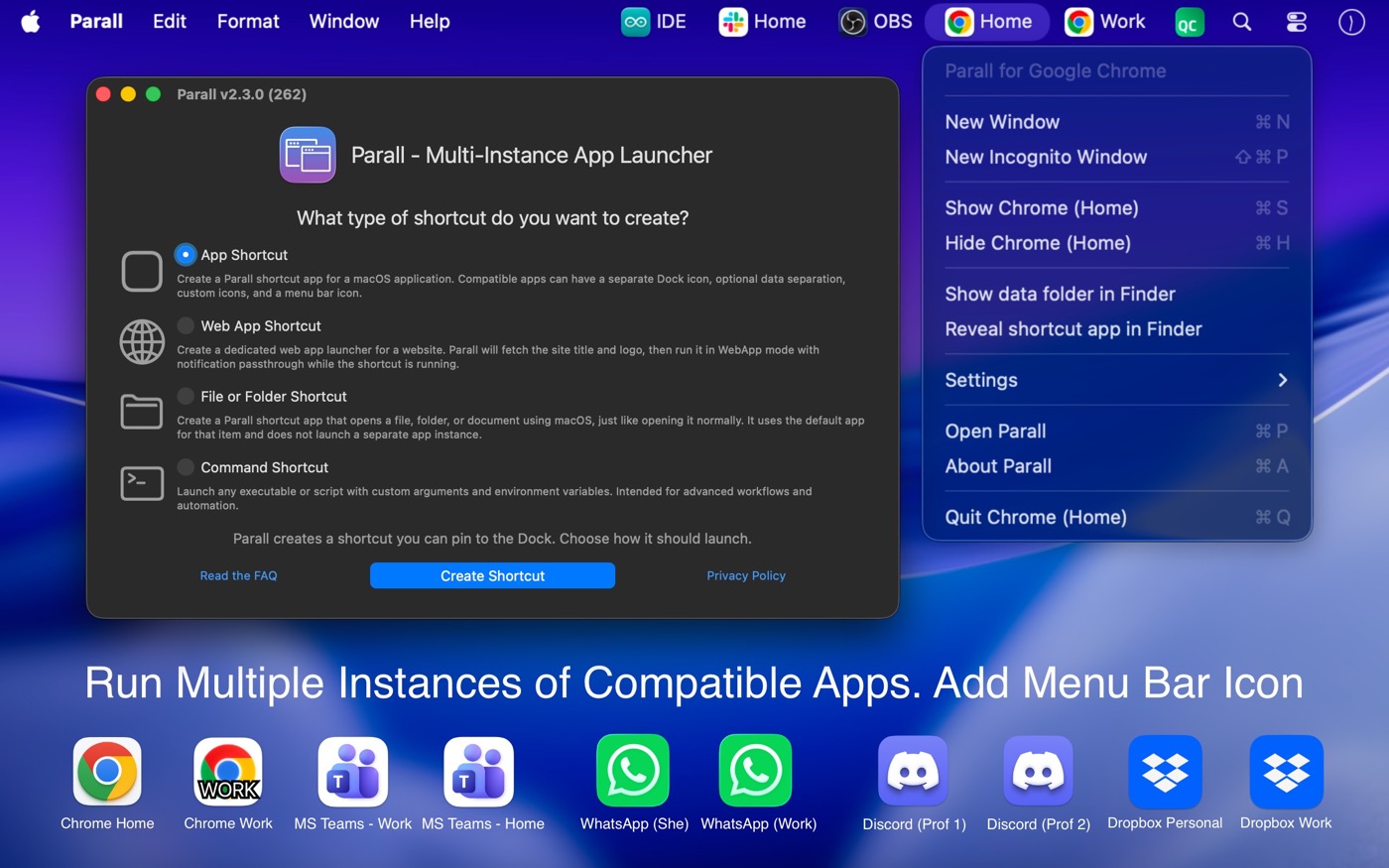
Parall

Create independent shortcuts for Mac apps, websites, files, folders, and command-line tools. Each shortcut can have its own Dock identity, icon, label, appearance, data path, environment, and launch behavior.

macOS 10.11+Web App ShortcutsLocal app
  • Run supported apps as separate instances
  • Turn websites into app-like Dock shortcuts
  • Separate data, accounts, and profiles where supported
  • Add custom Dock icons, labels, effects, and menu bar icons
Parall app preview
Available on the Mac App Store

Mac Dock placement control

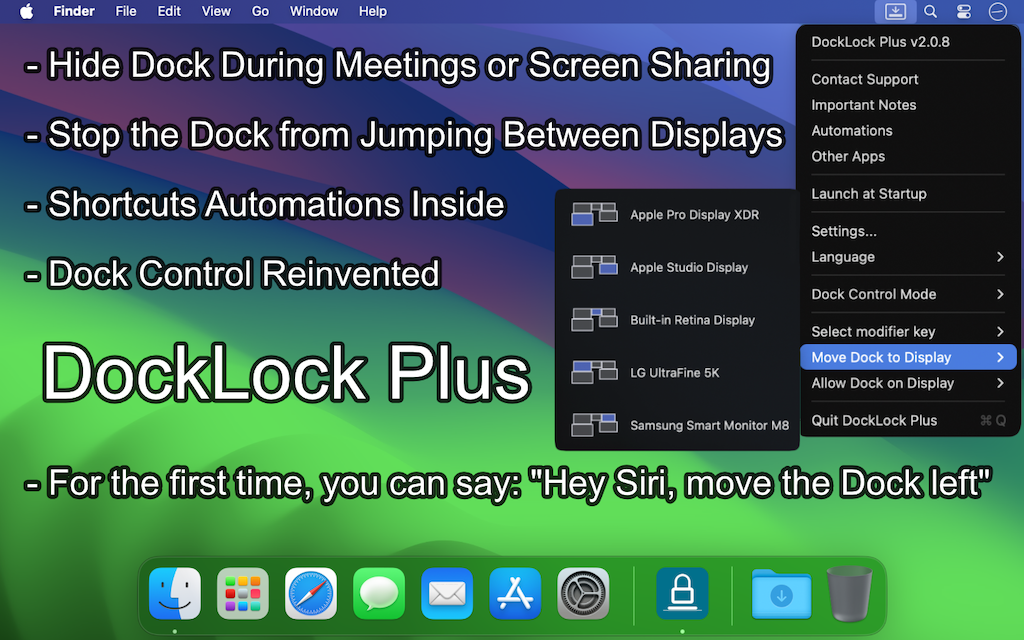
DockLock Pro

Keep the macOS Dock on the display where your workflow expects it. DockLock watches wakeups, display changes, connection events, screen sharing, and multi-monitor edge cases so the Dock does not keep jumping to the wrong screen.

macOS 10.9+Multi-display MacsNative utility
  • Lock the Dock to a chosen monitor
  • Auto-relocate after wakeup and display changes
  • Add Shortcuts, URL scheme, CLI, and Raycast automation with Plus
  • Unlock side Dock and placement behavior beyond App Store limits with Pro
DockLock Pro app preview
Lite and Plus on Mac App Store, Pro in development

Mac software inspection before opening

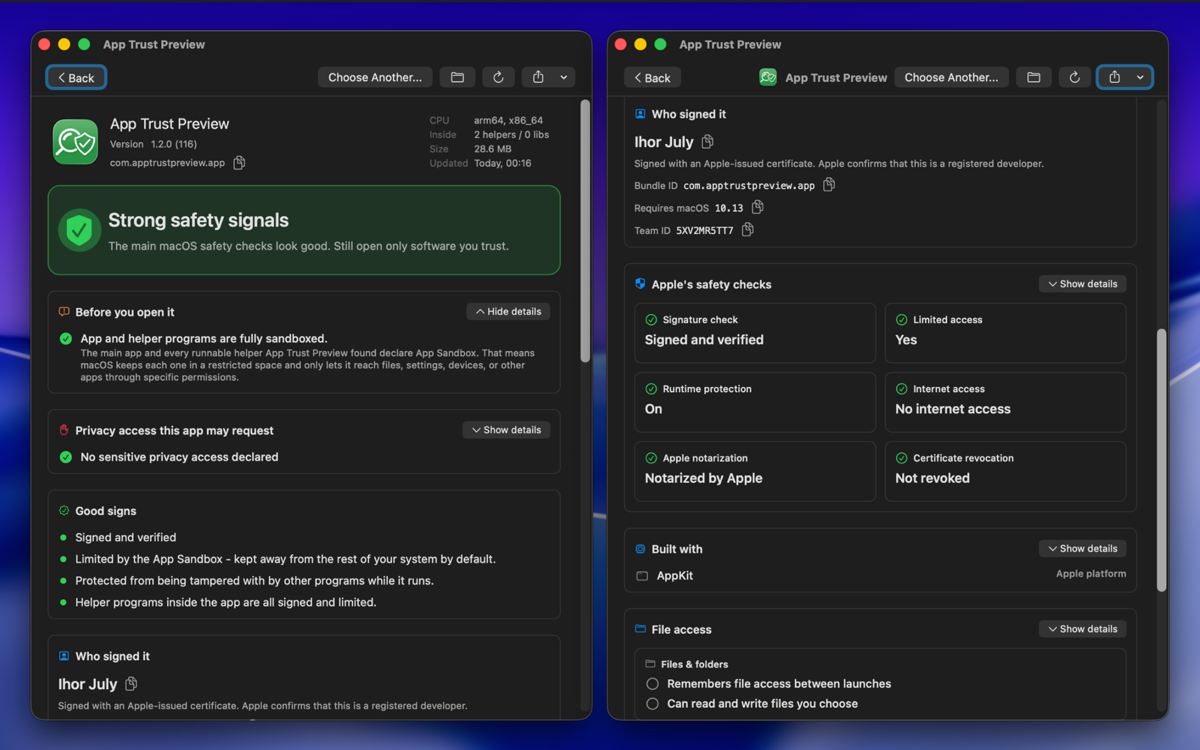
App Trust Preview

Inspect Mac apps, installers, disk images, executables, and scripts before you open them. App Trust Preview turns signing, notarization, sandboxing, privacy access, network declarations, executable hashes, and bundled components into a readable local report.

macOS 10.13+Quick LookCLI
  • Review apps, packages, disk images, binaries, and scripts
  • Use Finder Quick Look before opening or installing
  • Export JSON, text, PDF, and PNG reports
  • Run local checks without uploading inspected software
App Trust Preview app preview
Available on the Mac App Store

Mac lock screen message designer

LockLines

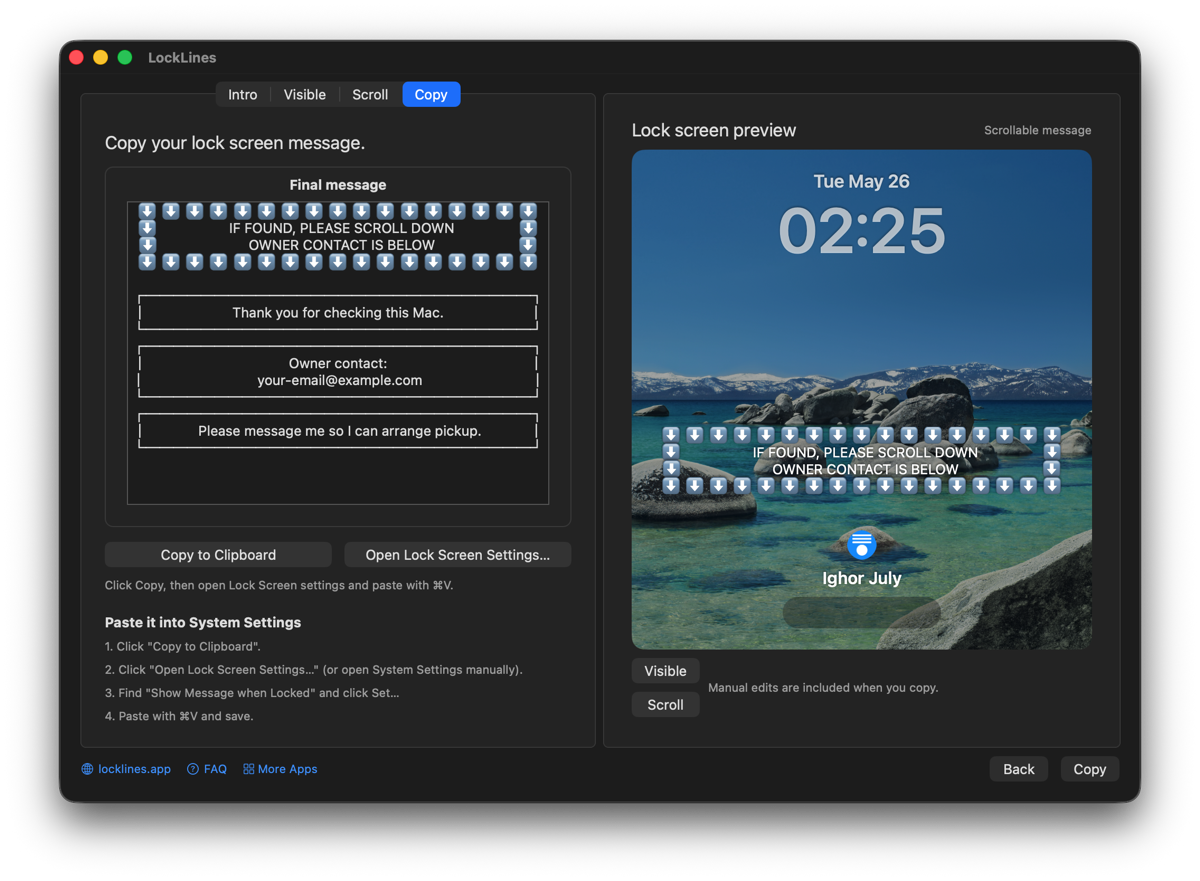
Design plain-text messages for macOS lock screens. Write the first visible message, add scroll-down details, preview both lock screen states, decorate readable text, and copy the final message into System Settings.

macOSPlain textLock screen preview
  • Create owner notes, contact details, and asset labels
  • Preview visible and scrollable lock screen states
  • Decorate plain text with readable borders
  • Copy paste-ready messages for System Settings
LockLines app preview
Available on the Mac App Store

How I build

Small utilities, real problems

Native first

Each app is built around platform behavior instead of hiding it behind a generic shell.

Local by default

The apps avoid unnecessary background services, telemetry, and server-side dependency.

Original tools

Most of these started as missing utilities I needed for my own daily Mac workflow.

More platforms next

Current releases focus on macOS, with Windows and mobile apps planned for future work.