My Mac Apps Story, Part 2 - Coming Back to Mac and Exclusive Interviews with Mac Developers
Returning to Mac with a 2014 MacBook Pro, the apps that made macOS work for me, the utilities that disappeared, and exclusive interviews with long-time Mac developers.
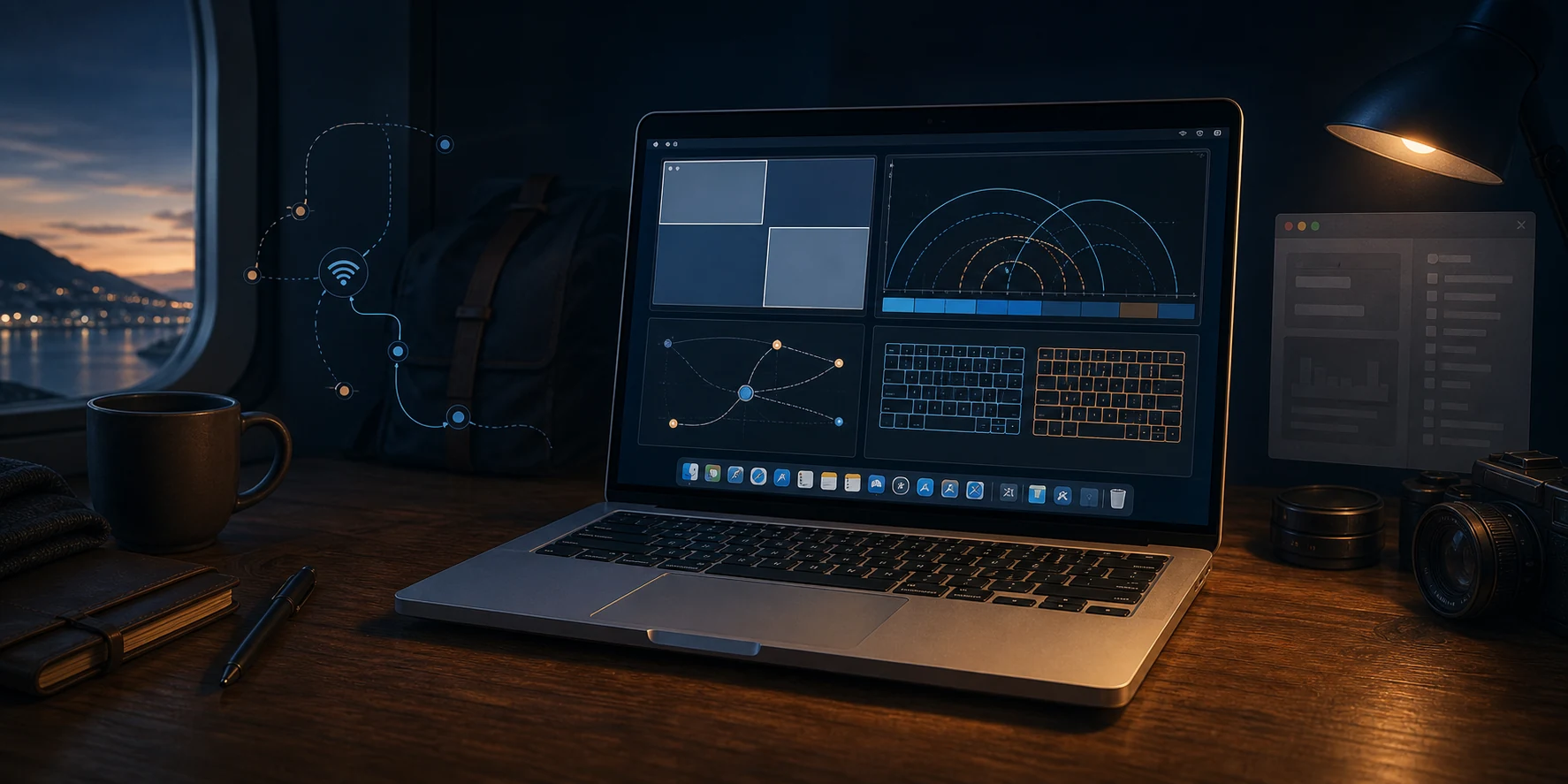
After losing my first MacBook before I had fully switched to Mac, I returned to Windows.
From 2009 until 2014, my main machine was a Windows PC connected to multiple displays. Somehow, all of that PC's original hardware still works and the computer continues to run well. That is another story, and perhaps one day it will become part of a separate My PC Story series.
My next MacBook story started with my open-source project, Qt Bitcoin Trader. Bitcoin was only beginning to become recognizable. I spent $100 on it, the price dropped, and that made me sad, so I decided to build an app that could help me trade and earn the money back.
I made Qt Bitcoin Trader open-source, and people from around the world contacted me. Even well-known cryptocurrency exchanges reached out. Those connections made me want to travel and gain more experience around the world.
When I started planning to travel, I remembered the nearly perfect trackpad on my first MacBook. I could not imagine relying on an external mouse while traveling, so a MacBook became the obvious choice.
That is how I came back to Mac with a MacBook Pro (Retina, 13-inch, Mid 2014). It became my real work machine. Qt Bitcoin Trader was cross-platform, and I used this MacBook to make it run reliably on macOS. That made it the first Mac app I ever built.
This was when macOS stopped feeling unfamiliar. I started finding apps that made it work the way I wanted, and without them, the transition from Windows would have been much harder for me.
Coming Back to Mac
By the time I returned to Mac, I already knew what had bothered me before.
Window management was still one of the biggest differences. On Windows, I was used to quickly filling the screen with a window or arranging windows in predictable places. On macOS, I liked many things, but I still wanted more control over how windows used the available space.
That is why one of the first apps that made macOS feel natural for me was BetterSnapTool. Today, window snapping is part of modern macOS, but back then this app felt like real relief. It made it much easier to use all available screen space, especially on a laptop where every pixel mattered.
BetterSnapTool was a small utility, but I used it every day. This is what I started to like about Mac apps. One small app fixed something in macOS that annoyed me every day.
Today I understand that BetterSnapTool also has an unusual advantage. I downloaded its current Mac App Store version and checked the binary locally, confirming that it is still unsandboxed. I did the same for every app I describe as unsandboxed in this series.
Apple now requires App Sandbox for Mac App Store distribution, but BetterSnapTool predates that requirement. Developers of other long-running Mac App Store apps confirmed how this exception works. They can release fixes and maintenance updates for an existing unsandboxed app, but they cannot use those updates to add new features or expand what the app can do. In effect, the unsandboxed version remains frozen at its existing feature level.
This makes BetterSnapTool's long-standing place in the store especially valuable. It can preserve the deeper access on which its existing window-management features rely. Because the app was already stable and feature-rich, it remains useful even without significant new functionality.
WiFi Explorer
While traveling, I sometimes stayed in hotels where the Wi-Fi signal was weak or unstable. I wanted to know where in the room I could get the most reliable connection. The usual Wi-Fi indicator only showed a few imprecise bars, which was not enough to help me find the best spot.
WiFi Explorer and WiFi Signal showed me an exact signal-strength percentage instead of vague bars. I could watch it change while moving around the room. If several access points used the same Wi-Fi name, WiFi Explorer showed each one separately. I could see which one I was connected to and find the spot with the strongest signal.
Beyond that, WiFi Explorer has a rich, beautiful interface. Its advanced details helped me better understand how Wi-Fi works, including the standards used by each access point and the maximum Wi-Fi data rate it supported. When I changed the channel or channel width on my own access point, WiFi Explorer also let me verify that the new settings had actually been applied.
They were awesome, simple, and stable. More than ten years later, I can still use both apps without a subscription or a forced paid replacement. Huge respect for the developer for keeping them updated and keeping the one-time-purchase model.
How Little Snitch Found Me
Little Snitch is one of the rare apps I never deliberately searched for. After I released Qt Bitcoin Trader, it attracted users who were very serious about computer security. The first feedback I remember was something like, "What is that?" The user sent me a Little Snitch screenshot showing that my app was trying to connect to my server.
The connection came from the update engine, so I explained it. But that screenshot introduced me to Little Snitch. I tried the app and immediately found it useful. It was the first app of its kind I had seen on macOS, and I still use it today.
I have spent much of my life thinking about how everything can be hacked, including my own computers. Little Snitch can block apps from connecting to selected servers. For me, its most important job is showing what my Mac is doing on the network.
I know how a man-in-the-middle attack works. Someone controls the path between an app and its server and can replace an unencrypted response. HTTPS helps protect against this, but some apps still use plain HTTP.
Little Snitch shows the app, domain, protocol, and destination port. If I see port 80 while using an untrusted network, I block it. Port 80 is normally used for unencrypted HTTP, while port 443 is normally used for HTTPS. A port number alone does not prove that a connection is secure, but it still gives me an immediate warning.
Little Snitch also shows me which apps still use unencrypted connections. That tells me something about how seriously their developers take security. Even if port 80 is only used for a redirect to HTTPS, the first response is still unencrypted and can be replaced. If an app checks for updates, downloads files, or accepts instructions through that connection, I see it as bad security design.
A network attacker would not need a sophisticated exploit. If an app downloads an archive over plain HTTP, someone controlling the network path could replace that response with a decompression bomb. If the app then automatically extracts it without cryptographically verifying the download or limiting its expanded size, file count, memory use, and disk use, the archive could exhaust system resources and cause the app or Mac to become unresponsive. This would normally be a denial-of-service attack rather than a way to take control of the Mac, but it still demonstrates why an app should never trust security-sensitive content received over an unencrypted connection.
As a bug bounty hunter, I find bugs almost everywhere. Long ago, I found a crash bug while using Little Snitch and contacted support. They replied quickly and helped me investigate it. The problem was not in Little Snitch. It was a macOS bug that Apple later fixed. I still cannot remember finding a real bug in the app itself. That gives me even more respect for its developers. They do not wait for a new macOS version to reach the public. Once Apple releases the beta, they begin fixing compatibility issues and release Little Snitch updates before the final macOS version arrives. That is another reason I trust it.
Keyboard Pilot
Keyboard Pilot solved another persistent macOS annoyance for me. I use multiple languages, so I constantly switch keyboard layouts when talking to friends, writing documents, and working with code.
macOS does not always keep the layout I expect. For example, I never need the Ukrainian layout while typing commands in Terminal. Keyboard Pilot lets me assign a specific keyboard layout to each app and switches to it automatically whenever that app becomes active.
This is especially useful when entering passwords. Because password fields hide what I type, it may not be immediately obvious that the wrong layout is active. By keeping English as the default layout in apps where I enter passwords, Keyboard Pilot makes the process more predictable and prevents failed login attempts caused by silently typing with another layout.
It made daily typing more reliable in a way that is difficult to appreciate until keyboard switching becomes part of your everyday workflow.
Keyboard Pilot is also one of my rare forever purchases. I bought it once in 2016 and can still use it today without a subscription or a forced paid replacement.
The Apps That Disappeared but I Still Miss
Some apps did not survive.
I used popCalendar and iRamDisk, and I liked both.
popCalendar gave me a simple full-year calendar in the menu bar. I still have not found any alternatives that show a year in such a simple and complete way.
iRamDisk helped me create a RAM disk at startup. Because I had enough memory, I could put a build environment there and use it for experiments. I asked the developer about a case-sensitive RAM disk option, and he added it quickly.
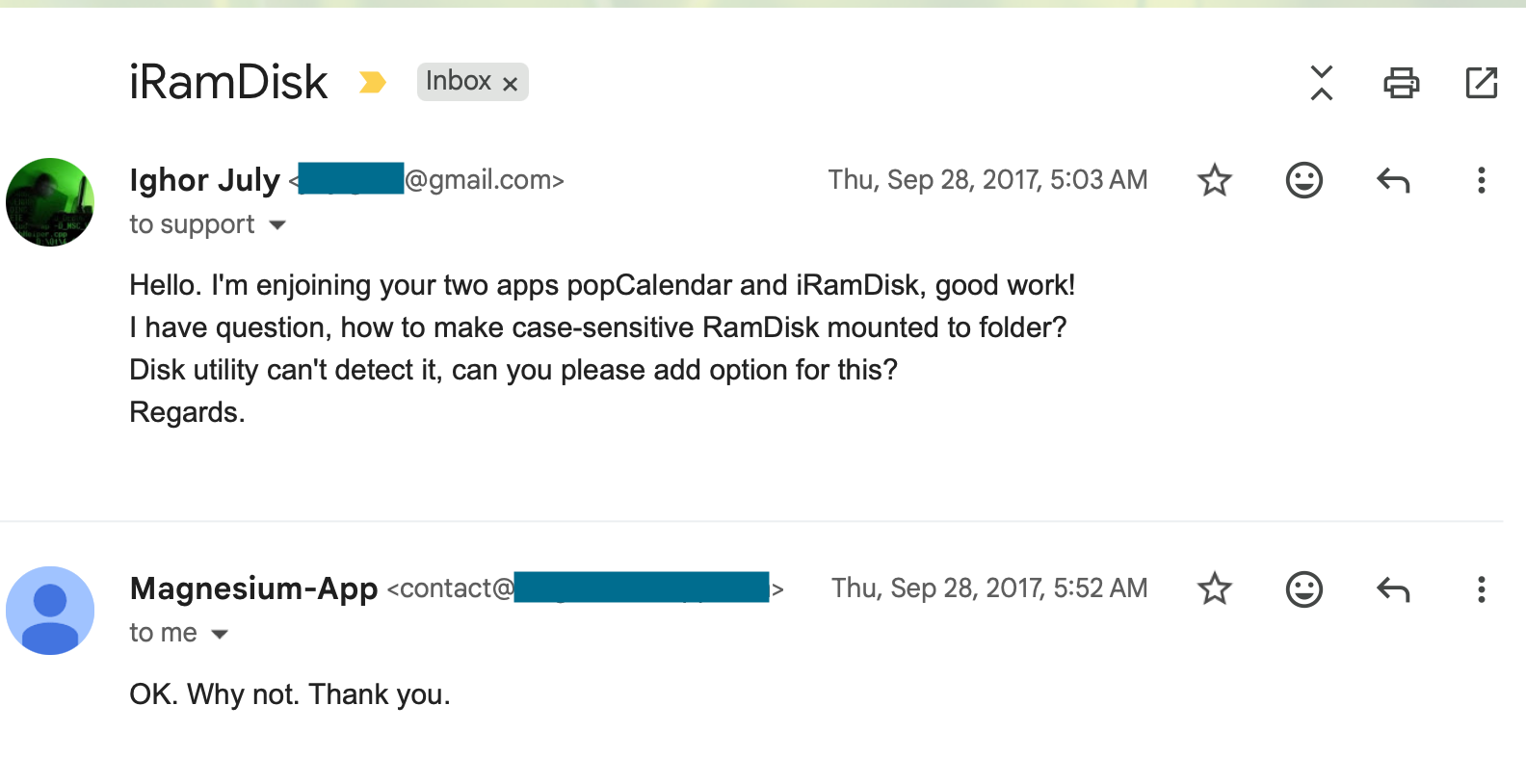
Later, iRamDisk disappeared from the Mac App Store. When I contacted the developer, he told me that development was dead and that Mac OS X development was the end of the story for him.
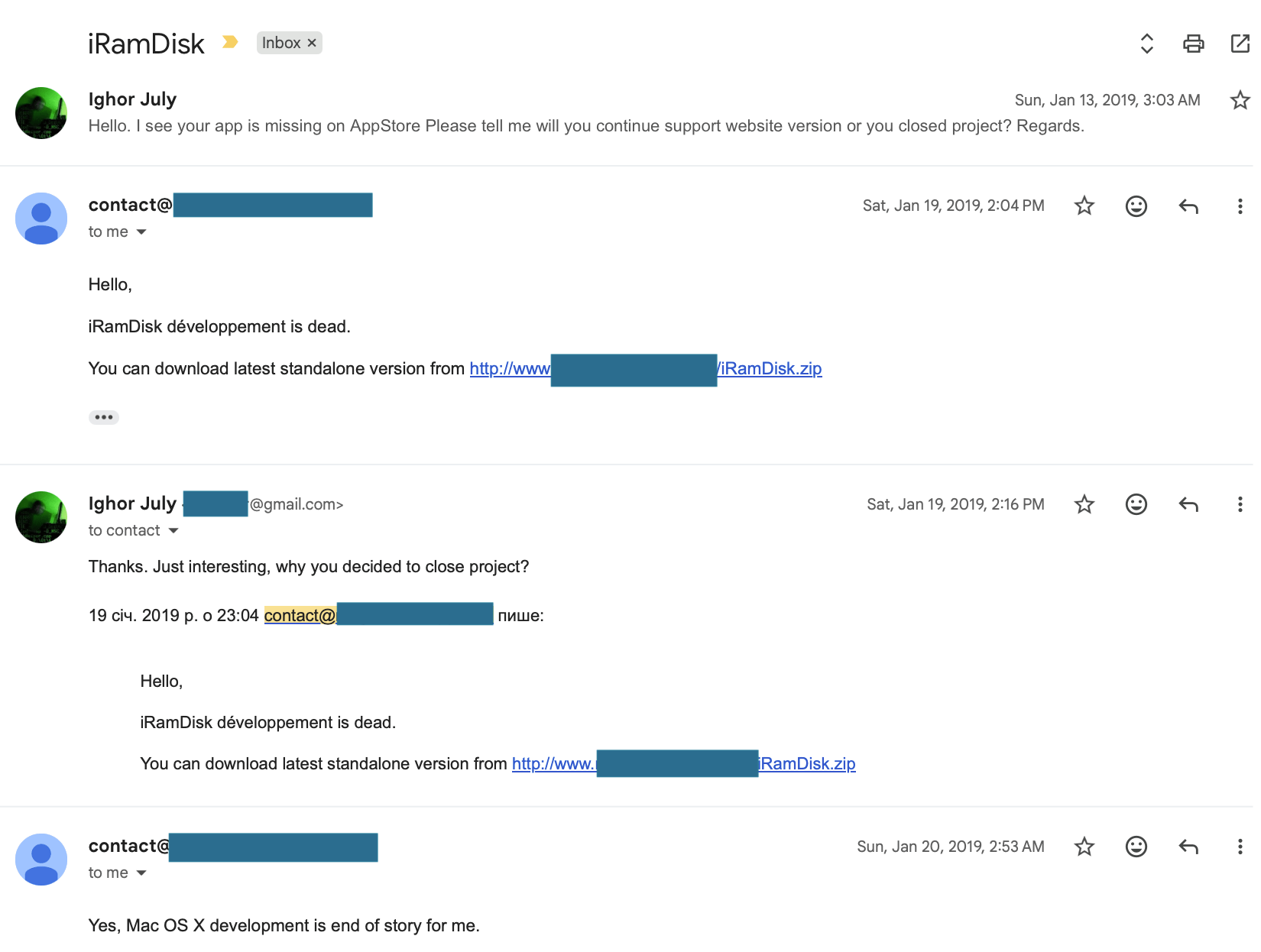
I did not expect that reply. It made me think about all the apps I liked that had disappeared. Even an awesome app can be temporary. Developers stop working on them, websites vanish, and years of work disappear with them.
While writing this post, I tried to contact the developer again. The domain from his old email address was no longer registered. I worried that someone could take it and impersonate the developer or distribute malware, so I registered the domain myself and keep it reserved.
After seeing so many apps disappear, I wanted to know why others stayed alive. I contacted developers of apps I had used for more than ten years and asked how they kept going.
They answered honestly. These interviews are exclusive to my Reverse Everything blog. I hope other developers, especially new ones, find them useful.
WiFi Explorer & WiFi Signal — An Interview with Adrián Granados
Ighor July
What motivates you to continue developing and supporting the apps after so many years?
Adrián Granados
One thing that has always characterized my work is a commitment to keeping the apps up to date and paying attention to the little details. I’ve always made it a priority to support the latest Wi-Fi standards and make sure everything continues to work with each new macOS release. Not every developer is willing to make that long-term commitment, but I think it’s one of the reasons users have stayed with us over the years. They know the apps will continue to evolve, won’t be left behind, and that I genuinely care about the quality of the experience.
Ighor July
What advice would you give to independent developers who hope to maintain and support their apps for ten years or longer?
Adrián Granados
So, my advice to independent developers is to build something you genuinely care about and stick with it. Don’t get too distracted by copycats or the latest trend. Those things come and go. What lasts is the relationship you build with your users. If you keep improving your product, listen to feedback, and take good care of the people who rely on it, they’ll remember that. That’s something no AI-generated clone can easily replicate.
Looking ahead, I think AI will bring a whole new set of challenges for independent developers, just as sandboxing, Apple silicon, and new Wi-Fi technologies did for me. The landscape is changing quickly, and I’m sure there will be obstacles along the way. But if the last 15 years have taught me anything, it’s that adapting is part of the job. I’m optimistic that I’ll be able to navigate those changes while continuing to build products that people find useful and trust.
Read the complete WiFi Explorer and WiFi Signal interview.
Little Snitch — An Interview with Objective Development
Ighor July
What motivates you and the rest of the team to continue developing and supporting Little Snitch after so many years?
Christian
Put in exaggerated terms, it's a kind of compulsive behavior. It's not only me, I can speak for the entire team here: We need that tool ourselves. If I get to use a computer that has no snitch installed, I feel like walking down the street blind. When I played around with Linux recently, the first thing I had to do was write a version of Little Snitch.
I must admit that we often discuss how useful a feature is for users and try to cater the "average user". However, where Little Snitch really shines, is where we built the feature for ourselves.
Another thing not to be neglected: Many teams fail because they end up in conflict with each other. We always made decisions unanimously, accepting that others may have other interests and other priorities.
Ighor July
What advice would you give to developers who hope to maintain and support an app for ten years or longer?
Christian
Don't do it for the money in the first place. You'll need patience, and if money drives you, you'll give up before the revenue comes. Not all our projects were as successful as Little Snitch, but all of them paid off at least their development.
For a project like Little Snitch you need more than being determined, high qualification and what else: you also need luck. Plain luck. And the only way not to have luck is not to play the game...
Read the complete Little Snitch interview.
Keyboard Pilot — An Interview with Richard Hult
Ighor July
What motivates you to continue developing and supporting Keyboard Pilot after so many years?
Richard Hult
My motivation comes from two places. First, I'm a user of the app myself, so I genuinely want it to work well. Second, whenever a new version of macOS is released, I receive emails from users asking when an update will be available. It's a small user base, but they're incredibly enthusiastic, and their continued interest is very motivating.
Ighor July
What advice would you give to independent developers who hope to maintain and support their apps for ten years or longer?
Richard Hult
My advice is to keep making small updates and regular releases, if nothing else to exercise the whole process of building with new Xcode versions and SDKs. It is so much easier to do small incremental updates rather than collecting a huge number of deprecations, and worse, risking that so much changed that you cannot even build the project once you come back to it.
Another advantage that this brings is that when you work with your app, you often get some ideas for improvements and new features.
Read the complete Keyboard Pilot interview.
Complete Mac Developer Interviews
Part 2 includes excerpts from three interviews. You can also read every complete developer interview published with the series.
- WiFi Explorer & WiFi Signal — An Interview with Adrián Granados
- Little Snitch — An Interview with Objective Development
- Keyboard Pilot — An Interview with Richard Hult
After using these apps for more than ten years, I understand how easily any of them could disappear. If an independent app makes your Mac better, support its developer while the app is still here.
In Part 3, I continue with more awesome Mac apps, the problems they solved for me, and more interviews with the people behind them.