Parall — Multi-Instance App Launcher for macOS
How Parall creates native macOS app shortcuts for launching multiple independent app instances, including isolated browser and Dropbox workflows.
Originally published by Ighor July on Medium on . Republished here by the author on .
Parall — Multi-Instance App Launcher
I Built Parall — Multi-Instance App Launcher for macOS
Solving a simple macOS problem that somehow no one had properly solved before.
When I first switched from Windows to macOS years ago, I immediately noticed something strange. On Windows, you can easily open multiple instances of almost any app — just click again, or use a simple flag. But on macOS? Not so much.
Even something as basic as running another instance of an app — say, two copies of Chrome, or two browser profiles — wasn’t straightforward. I discovered I could copy the app manually, but that meant duplicating gigabytes of data and re-copying it every time the original app updated. Later, I learned about the open -n Terminal trick. It worked, but wasn’t persistent, couldn’t be pinned to the Dock, and definitely didn’t feel native.
Over the years, I made small scripts and automation hacks to make this easier, but I wanted something clean — a proper macOS solution. Fast-forward a few years: after developing DockLock, a series of apps that fix how the Mac Dock behaves on multi-monitor setups, I finally had the skills (and the motivation) to tackle this one properly.
A Reddit Conversation That Sparked the Idea
Ironically, I never personally needed multiple Chrome instances. But one day, a Reddit user reached out and explained their struggle to open different Chrome profiles side by side — each with its own Dock icon.
That message clicked something in my mind. I realized there was no native, persistent way to do this without command-line gymnastics or fragile scripts. So, I decided to build a small macOS utility that does exactly that — elegantly, reliably, and natively.
Meet Parall — Multi-Instance App Launcher for macOS
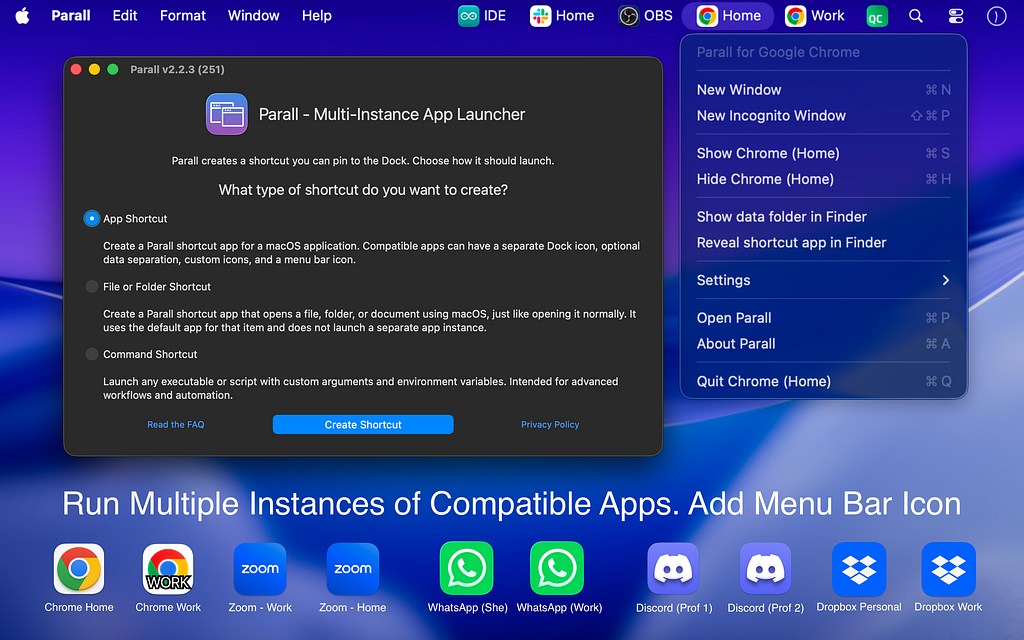
Parall creates actual macOS app bundles (shortcuts) that launch separate instances of any app. It is the first macOS app of its kind to do this properly and natively.
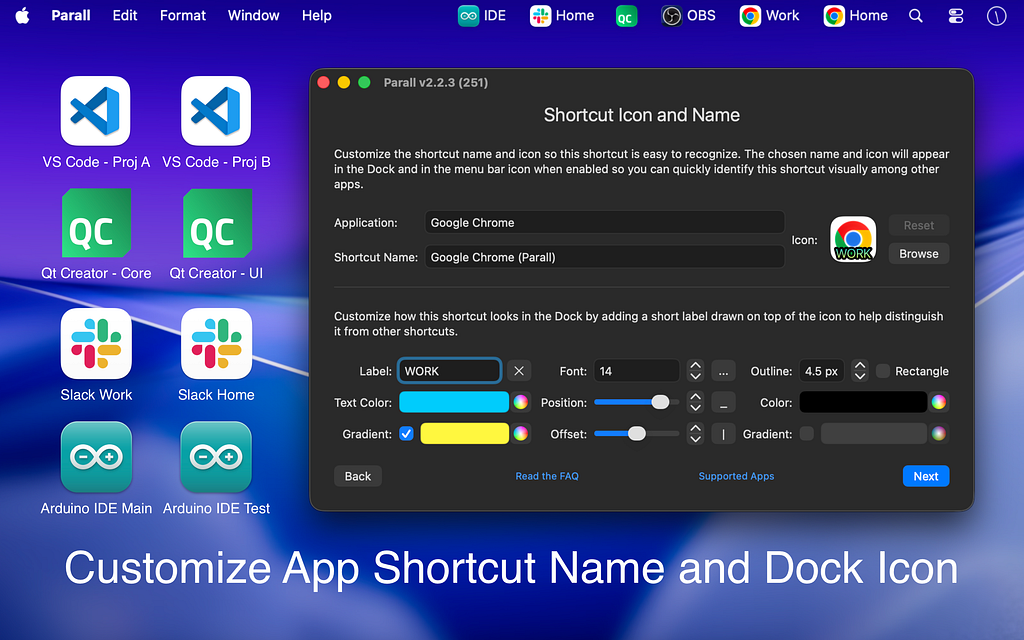
Each shortcut looks, feels, and behaves like a standalone application:
- It has its own name and icon
- It can be pinned to the Dock
- It stays automatically linked to the original app, so when the original updates, the shortcut continues to work
Parall v1.1.1 brings a completely new way to control apps. You can now add a tray icon menu to any shortcut so the app is always one click away in the menu bar while it is running. For supported browsers the tray menu also lets you open a new window or a new incognito window directly from the menu.
Parall supports automatic data isolation for Chrome-based, Firefox-based, and ToDesktop-based apps, and most native macOS apps. For the detailed and up-to-date list of compatible apps, visit https://parall.app/compatibility/.
Some of Fully Verified and Supported Apps
Google Chrome, Edge, Brave, Vivaldi, Opera, Tor Browser, Visual Studio Code, Arduino IDE, FreeCAD, Blender, Qt Creator, FileMaker Pro, Git Tower, Telegram Desktop, Viber, Discord, Dropbox, OBS, KiCad, Plex, Spotify, Sublime Text, Sublime Merge, LightBurn, Slack, Notion, Cursor, Evernote.
Parall makes it possible to run multiple independent instances of Dropbox on the same Mac. Each instance operates with its own login, sync settings, and storage location — so you can connect multiple Dropbox accounts and sync entirely different folders at the same time.
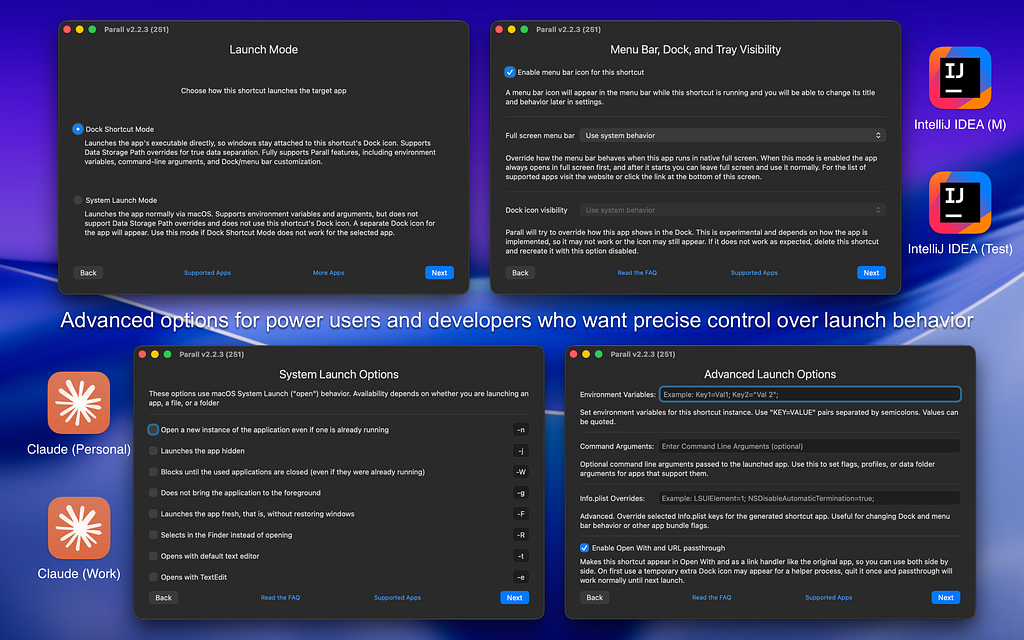
You can assign a specific data directory, allowing truly separate profiles to run at the same time. For other apps, you can add custom command-line arguments to isolate data manually or tweak behavior per shortcut. You can also override the HOME environment directory, which may help certain apps store their data separately even if they don’t support profile arguments.
Sandboxed apps cannot use custom HOME or data-path redirection. They can run multiple isolated instances, but their data remains inside the system-managed sandbox container.
All shortcuts are real .app bundles, created using native macOS APIs — no scripts, automation tools, or system modifications.
Privacy by Design
Both Parall and the shortcuts it creates are completely offline. They make no network requests, include no background services, and modify no system files. Everything runs locally, respecting your Mac’s privacy and security boundaries.
The shortcuts themselves aren’t sandboxed or signed by design — that’s simply how macOS works for custom app bundles that execute another app directly. They don’t modify anything; macOS just reports that access message because of how the system monitors direct app calls.
Supporting Over a Decade of macOS Versions
Parall works on macOS 10.11 and newer — yes, that’s over 9 years of macOS releases supported. Even older Macs can use it to create lightweight shortcuts that behave like first-class apps.
It’s written in native Objective-C and C++, built for performance and efficiency — no Electron, no background daemons, almost zero RAM or CPU footprint.
Simplicity That Feels Native
Creating a shortcut takes seconds:
- Select the target app
- Optionally add command-line arguments or a data directory
- Customize the icon or name
- Save — and optionally drag the shortcut to your Dock
That’s it. The shortcut behaves as if it’s a fully independent app.
Why I Built It
I’ve always loved exploring how macOS works internally — reverse engineering, debugging, finding the tiny gaps Apple leaves undocumented. After DockLock, which fixed how the Dock moves between displays, Parall was a natural continuation of that same philosophy: building small, native utilities that make macOS just work better, without hacks or compromises.
Where to Get It
Parall — Multi-Instance App Launcher for macOS Website: https://parall.app Mac App Store