Apple Makes It Easier for Mac Developers to Drop Intel Support
Apple now lets existing universal Mac App Store apps requiring macOS 13 or later drop Intel support, encouraging more Apple silicon-only releases.
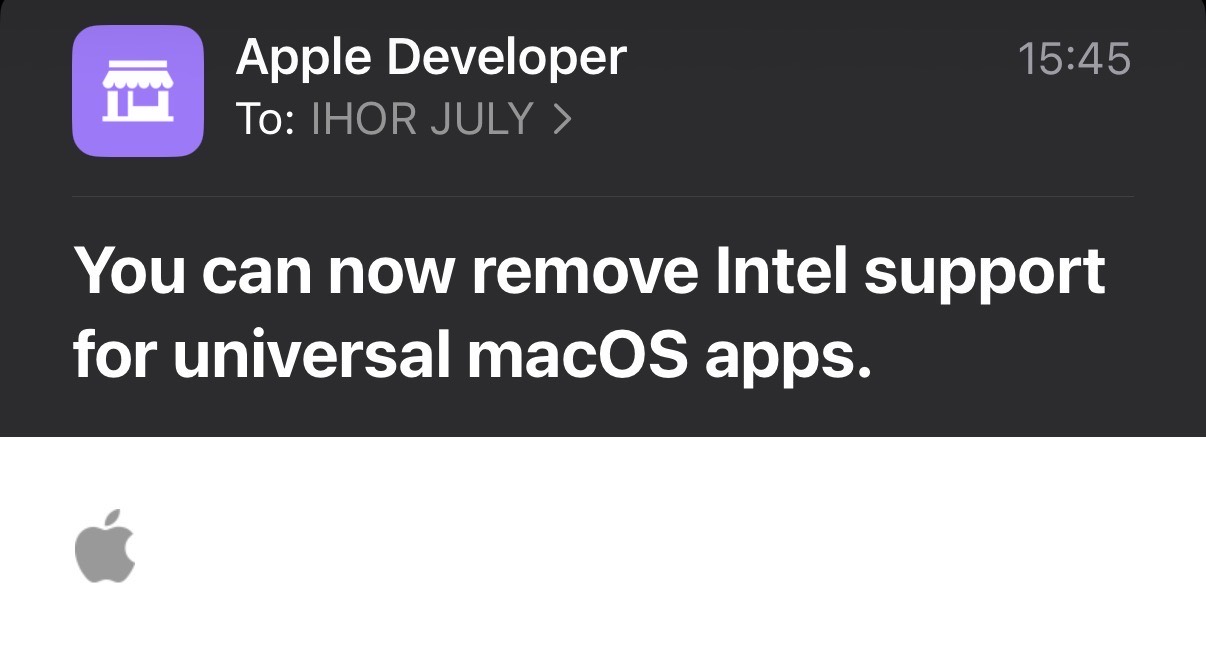
Apple emailed developers today, September 1, 2026, to highlight a Mac App Store policy that lets existing universal macOS apps remove support for Intel-based Macs if they require macOS 13 or later.
Apple presents the change as a way to simplify development and reduce both download size and the space an app occupies on a Mac. The process is equally simple. A developer changes the app's Architectures build setting to arm64, rebuilds the app, and submits the new version.
This does not force any developer to abandon Intel. Universal apps can continue including both arm64 and x86_64. But the new option changes the incentives around that decision. Apple has turned the end of Intel support from a potentially disruptive distribution change into an ordinary build setting that promises less testing and a smaller app.
I expect many developers to take that offer.
What Apple changed
A universal Mac binary contains native executable code for two processor architectures. Its arm64 slice runs on Apple silicon, while its x86_64 slice runs on Intel-based Macs. By default, Apple silicon Macs prefer the arm64 code, while Intel Macs always use the x86_64 code.
Until recently, the Mac App Store restricted an existing app from moving in the other direction. At the time of publication, Apple's general submission guidance still describes that old rule. It says a developer can add Intel support to an Apple silicon-only app, but an app that has supported Intel cannot return to Apple silicon only.
Apple announced the new exception during WWDC26 on June 8. The App Store Connect release notes documented the operational change on June 18. They say an eligible app can drop Intel support by removing x86_64, then uploading and submitting the new build. Today's email restated the policy and highlighted the simpler development process and smaller app size.
Apple made the same case during the WWDC26 Platforms State of the Union. Developers can ship Apple silicon-only binaries on the Mac App Store, reduce download size, and concentrate testing on one architecture.
Those are real advantages. The size reduction will vary because application resources are generally shared, while the main executable and bundled native framework binaries may each contain arm64 and x86_64 slices. Testing can also become simpler when a developer no longer needs to test the x86_64 slice and any architecture-specific code paths.
Intel Macs can still run modern apps
Apple announced during the WWDC25 Platforms State of the Union that macOS Tahoe 26 would be the final macOS release for Intel-based Macs. That does not mean Intel Macs suddenly stopped working or became incapable of receiving app updates.
The macOS Tahoe compatibility list still includes several Intel models. An app with a macOS 13 minimum and both architecture slices can continue serving compatible Intel Macs running macOS 13 through 26 from the same codebase and the same Mac App Store listing.
The new policy lets a developer end that support without raising the minimum operating system version. An app can keep macOS 13 as its deployment target while its current version runs only on Apple silicon. The deployment target and the supported processor architecture are now separate cutoffs.
For an Intel user, the practical result is that an arm64-only update cannot run on the Mac. An already installed Intel-compatible version may continue running. App Store Connect also provides a developer-controlled last-compatible version setting that can let existing customers download an older version from iCloud. Neither path delivers the new features, fixes, and compatibility work included in later arm64-only releases.
The Mac itself may remain useful on macOS 26 while more of its software gradually freezes in place.
The connection to Xcode 27
In Xcode 27 May End the Golden Era for Backward-Compatible Apple Apps, I described another change that pushes developers away from older systems.
In the Xcode 27 beta I tested for that article, deployment targets below Apple's supported range became build errors. A hidden setting changed those errors back into warnings, and the compiler still produced the older targets I tested. The concern is therefore not that the technology suddenly became incapable. It is that the normal development path tells developers to raise the minimum version.
The Intel change follows the same pattern from a different direction.
Xcode 27 raises pressure on the oldest operating system versions. The new Mac App Store rule removes friction from dropping an older processor architecture. Xcode 27 itself also runs only on Apple silicon, although its macOS 27 SDK supports back-deploying universal apps to macOS 12 and later.
None of these decisions individually prohibits a universal app that supports Intel. Together, they tilt the decision away from maintaining that app.
A developer using Xcode 27 is already working on an Apple silicon Mac. The next macOS release will not run on Intel. The store now offers a smaller download and a reduced test matrix if the developer removes x86_64. Keeping Intel becomes extra work performed for users who cannot follow the platform to macOS 27.
That is exactly the kind of optional cost that disappears from many products over time.
Apple is closing both sides of the transition
Apple is also applying pressure in the opposite direction. In a separate developer notice published today, Apple told developers of Intel-only apps to add native Apple silicon support.
Starting with macOS 26.4, users may receive a system notification when an app relies on Rosetta. macOS 27 will be the final release with general-purpose Rosetta support. After macOS 27, Intel-only Mac apps generally will not run on Apple silicon. Apple says it will retain a subset of Rosetta functionality for older, unmaintained games that rely on Intel-based frameworks.
These are two different transitions.
Intel Macs cannot run macOS 27 at all. Rosetta lets Apple silicon Macs run Intel app code, and that general compatibility layer lasts through macOS 27. Apple is telling Intel-only apps to add arm64 while telling universal apps that they may remove x86_64.
Both paths converge on the same destination. Apple's actively maintained Mac software ecosystem is moving toward arm64 only.
An option can still reshape the ecosystem
Some developers will keep supporting Intel for years. A mature AppKit utility may need little architecture-specific work, and its users may have good reasons to keep expensive Intel hardware in service. Business customers, studios, laboratories, and people with a 2019 Mac Pro may not replace computers according to Apple's annual release schedule.
Other developers may depend on frameworks or tools that drop Intel before they do. Some may not own Intel hardware for native testing. Others will look at users whose Macs cannot move to macOS 27, the promise of a smaller app, and the opportunity to maintain one architecture instead of two. For them, removing x86_64 may be the rational choice.
Apple has not ended Intel app support on the Mac App Store today. It has removed a rule that discouraged developers from ending it themselves.
That distinction matters, but so does the direction of the incentive. Platform transitions rarely happen through one dramatic cutoff. They happen when every new tool, policy, dependency, and testing decision makes the older path slightly harder to justify.
My earlier Xcode 27 article warned that backward compatibility was beginning to move away from a developer choice and toward a platform rule. Today's email shows the other side of that change. Intel support remains a choice, but Apple is now making the alternative simpler, smaller, and easier to test.
I expect that incentive to push more Mac developers toward Apple silicon-only releases long before every Intel Mac has stopped being useful.