My Mac Apps Story, Part 5 - Making the Touch Bar and macOS Work My Way
My 2017 Touch Bar MacBook Pro, BetterTouchTool, Theine, iTerm2, OnyX, and three exclusive interviews with the people who kept these Mac apps alive.
Part 4 ended with my 2014 MacBook Pro. My next MacBook story began with an Apple order that went wrong in a surprisingly good way.
This part is about my 2017 Touch Bar MacBook Pro and four apps that gave me more control over macOS. Theine, iTerm2, and OnyX also come with complete developer interviews made exclusively for Reverse Everything.
The MacBook Order That Went Wrong
I bought a MacBook Pro (13-inch, 2017, Four Thunderbolt 3 ports) in its top configuration while I was in Germany. I was going to be there for only two days, so I had a very tight window to buy it. Before placing the order, I explained to the Apple employee that getting a US keyboard was a high priority for me. We had a long phone conversation, but he accidentally ordered the MacBook with a German keyboard.
There was not enough time for another order to arrive before I had to leave Germany. The employee could hear how disappointed I was and offered me a 10 percent discount. I accepted it, but I still did not feel happy about the situation. He seemed to notice that as well and transferred me to his supervisor. The supervisor increased the discount to 20 percent. On a top-configuration MacBook Pro, that was a very nice discount.
It turned a frustrating mistake into a very nice experience with the Apple Store. I did not expect them to be so kind.
I was excited to get the new MacBook because I expected it to deliver a new experience. The most obvious change was the Touch Bar.
My Touch Bar Experiment
I type very fast without looking at the keyboard. Before trying the Touch Bar, I was skeptical because I would not be able to feel its buttons under my fingers. It turned out to be exactly the problem I expected.
With physical function keys, my fingers know where to go. With the Touch Bar, I had to stop and look down. That small distraction wasted time and broke my concentration. If you already look at the keyboard while typing, you may not be affected as much. My productivity depends on typing quickly with as few distractions as possible, so I immediately found the Touch Bar useless for the way I type.
The Touch Bar brought one more annoyance. The Escape key was no longer a physical key. It became touch-sensitive as part of the Touch Bar, so I could not feel whether I had pressed it. That made something as simple as using Escape less certain than it had been before.
I still configured it and left it enabled. Maybe after a few months it would become my favorite feature. It did not, but searching for a way to improve it led me to something much more useful.
When I eventually moved back to a MacBook keyboard without a Touch Bar, I immediately felt more comfortable again.
BetterTouchTool — When Apple Did Not Go Far Enough
BetterTouchTool is made by the same developer as BetterSnapTool, the window management app I mentioned in Part 2. I bought a lifetime license for BetterTouchTool. The 2017 MacBook gave it a completely new purpose for me, and I started experimenting with everything it could do to the Touch Bar.
I created buttons for the exact actions I needed. I could also make those buttons appear only when a specific app was active. Instead of accepting the same controls everywhere, I could give each app its own useful Touch Bar.
BetterTouchTool did much more than this. It was also a window manager, hotkey manager, trackpad gesture manager, and a highly flexible automation tool. It had far more features than I needed, but that was part of what made it exciting. I kept finding new ways to change how the Mac responded to me.
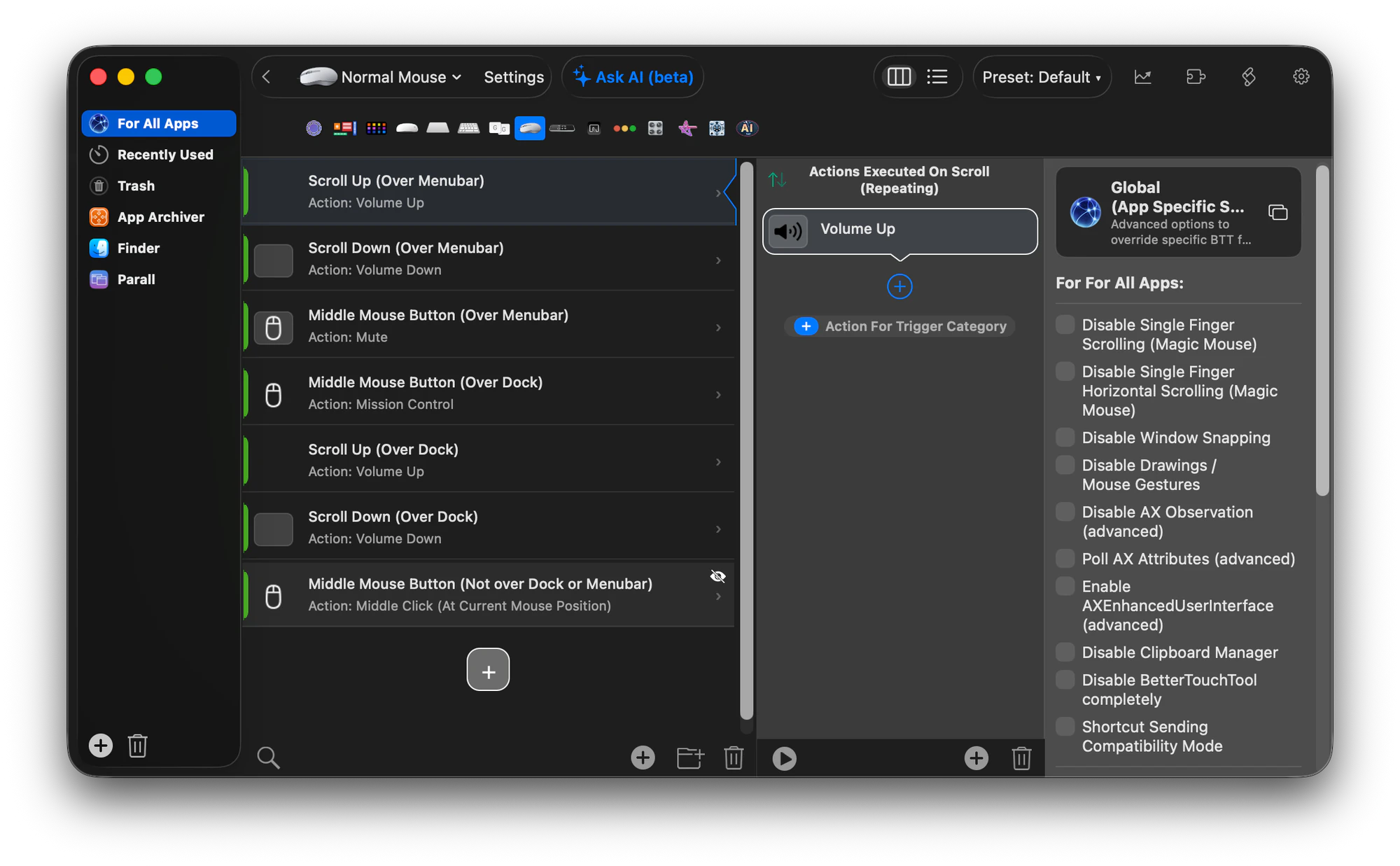
BetterTouchTool was first released in November 2009 and is still actively developed more than sixteen years later. The amount of work behind it remains visible in its updates.
This app made me feel that I could do much more than Apple allowed through the standard macOS interface. I was excited to try its features and transform my workflow into something made for me personally. That is the same feeling I now try to give people through the apps I create myself.
Theine — When My Mac Fell Asleep Too
My reason for caring about sleep control began when I first used macOS. I was reinstalling the operating system and left the MacBook alone while I went to sleep, expecting the installation to be finished when I returned. I was used to Windows installations keeping the computer awake until they were complete.
To my surprise, when I came back, the MacBook had gone to sleep as well and the installation had paused. It was a small surprise, but I remembered it. Sleep control eventually became the subject of another app story.
I found Theine in 2017. It was a lightweight app that stayed in the menu bar. Its interface was very simple and let me choose how long I wanted the MacBook to remain awake.
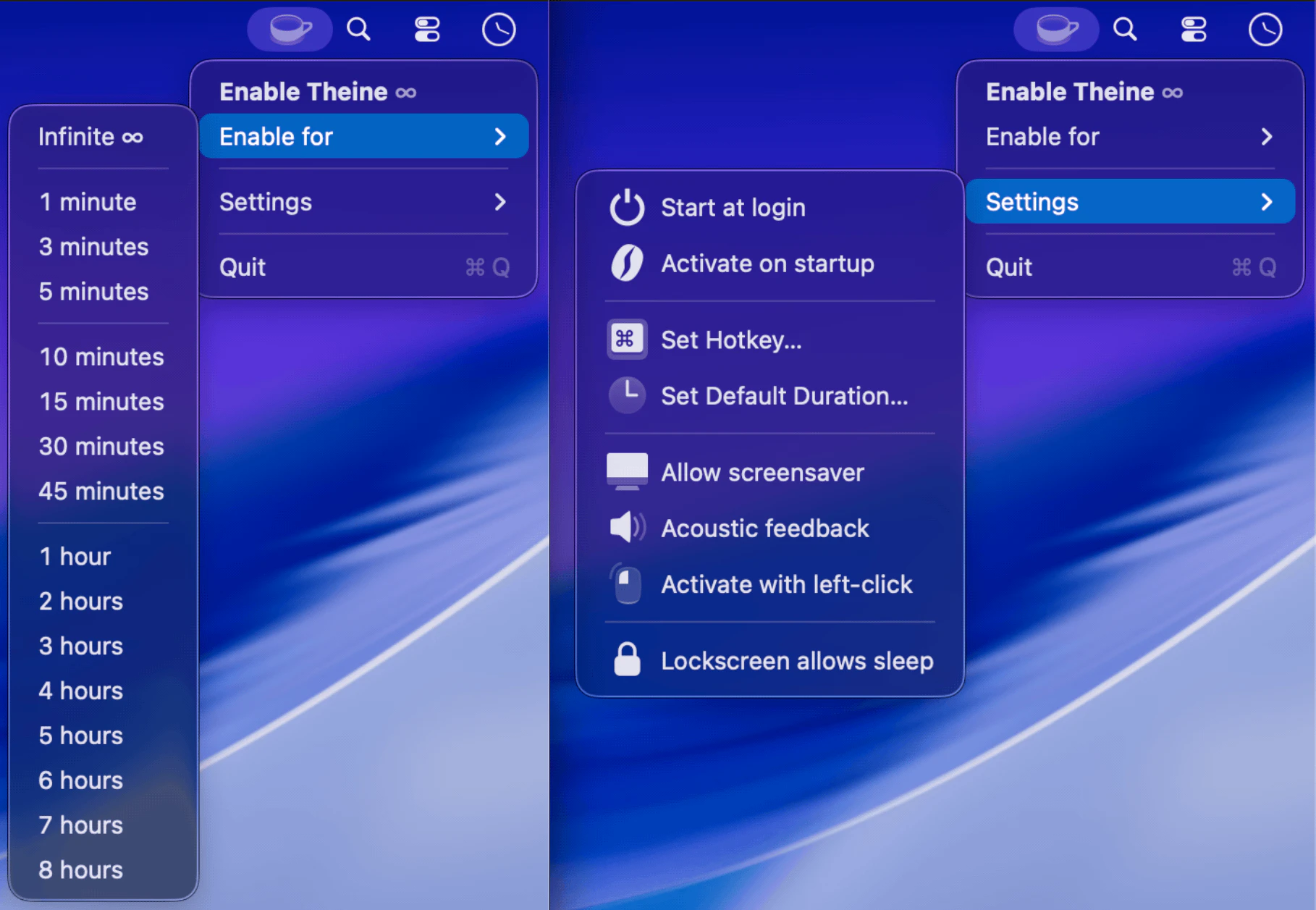
Sometimes I compiled the complete Qt SDK, which took a while. I needed the MacBook to stay awake until it finished. I could disable sleep in macOS settings, but I often forgot to enable it again afterward. The MacBook would then remain awake when I no longer needed it to and drain its battery. Theine was a perfect fit because the change was temporary.
After using it for a while, I noticed that its English localization was perfect, but one of the other languages I understand was translated incorrectly. I contacted the developer, and he answered promptly. I offered to create a Ukrainian translation, and he sent me the localization files I needed.
I translated Theine into Ukrainian, and I was happy that the developer accepted my help. Machine translation was not accurate enough for this kind of work at the time. Today, AI can help developers translate their apps into more languages with much better results.
The next update included my Ukrainian localization, and I was proud to see it there. Theine now lists 23 localized languages, including Ukrainian.
I found several alternatives over the years, but all of them were eventually abandoned. The last thing I want is to keep getting used to a new app that does the same job. Theine has my respect because it has already survived for more than ten years and is still supported. I have used it since 2017, and its name is one I cannot forget.
An Interview with Martin Lexow
Ighor July
What motivates you to continue developing and supporting Theine after so many years?
Martin Lexow
If you study design in Germany, there's no getting around Dieter Rams. One of his principles states: good design is long-lasting. I try to carry this attitude into my work, wherever it makes sense and is possible. My favorite example is the 606 Universal Shelving System that Rams designed for Vitsœ. It went into production over 60 years ago, and matching parts can still be purchased for it today. Knowing that an app I designed has been accompanying many people for over ten years is a fulfilling feeling: for both sides.
Ighor July
Theine remains a true one-time lifetime purchase, without a subscription or time-limited update period. What has made this model sustainable, and why is permanent ownership important to you?
Martin Lexow
As a creative who makes products, I generally prefer owning my tools. That's why I offer one-time purchases in my own apps whenever I consider it economically sustainable, and in most cases, I manage to. Occasionally, though, I do believe a subscription is the better choice. Because in my understanding, that's also part of "good design is long-lasting": a product that needs to be maintained or consistently receives new features demands my time, and that alone creates costs. It's in every user's interest that I put in this effort, because it serves the quality of their product.
An app like Theine, for which a user may have paid 3 EUR eleven years ago, has received updates ever since, and has never required any further monetization, doesn't sustain itself economically. I can only justify it through cross-financing from the rest of my app portfolio.
What I miss on the App Store is the ability to monetize new major versions of an app. An app like Theine, whose first version I wrote for OS X 10.11, still runs great on that operating system today. Nobody should have to pay a second time for that, obviously. But it is fair to make significant updates optional, and then paid. At the moment, this model can unfortunately only be implemented outside the App Store.
Read the complete Theine interview.
iTerm2 — When One Terminal Was Not Enough
iTerm2 became part of my evolution as a developer. I started creating services that ran on my own servers, and I eventually built many of them. Some projects needed frequent monitoring, so I wanted to see the live logs from several services at the same time.
I searched for a way to open multiple terminals, with each one connected to the logs of a different service. iTerm2 was exactly what I needed. It let me divide one window into multiple split panes, configure a startup command for each pane, and save the complete arrangement as a workspace.
iTerm2 also let me give each pane a name displayed in large text. It did not interfere with typing or reading the terminal output. I named every pane after the service whose logs it displayed, so I could immediately recognize what I was watching.
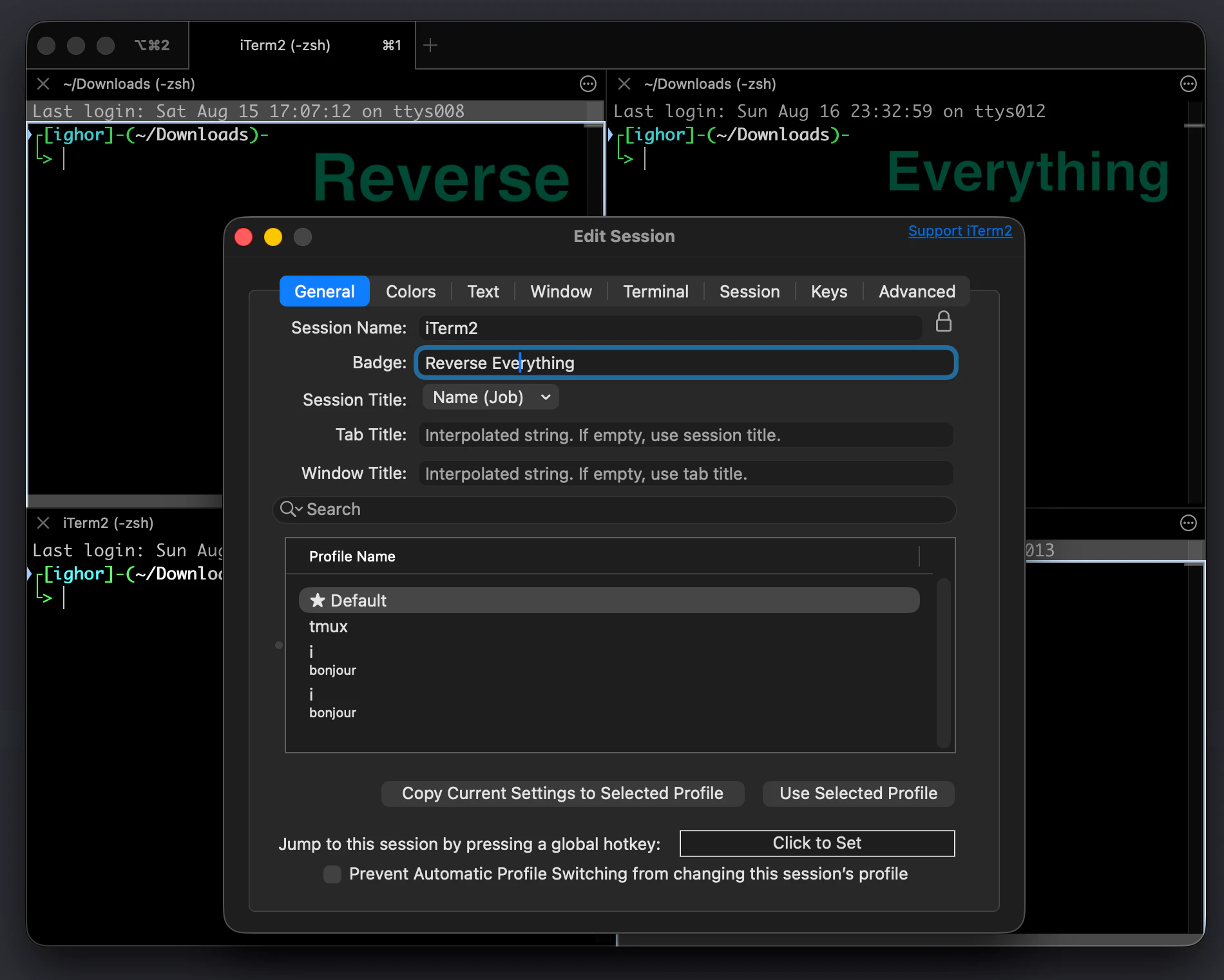
I created separate workspaces for my projects. I could open one workspace and instantly see the live logs from every service in that project. I did not need to recreate the terminal layout or reconnect everything each time. This improved my productivity a lot.
I no longer use those saved workspaces, but my workday still begins with opening iTerm2. I use it for local Homebrew tasks and to connect to my servers. I have hotkeys for opening split panes, which give me a compact terminal view that is easy to move around and navigate.
I also have huge respect for the effort behind keeping iTerm2 alive for so many years. When I reported bugs, they were fixed quickly. I cannot remember encountering a new bug in the app for several years now.
iTerm2 is free and open source. It exists because someone found an abandoned terminal project, fixed the problems that affected his own work, and continued when other users started reporting more. Knowing that story made me appreciate the app even more.
An Interview with George Nachman
Ighor July
What motivates you to continue working on iTerm2 after so many years?
George Nachman
I wrote my first terminal emulator when I was a freshman in high school. I’ve always enjoyed working on this particular problem. I like working in a small team on a project I use, especially if it has a big impact, and I enjoy client-side code more than server side work. Sometimes it seems like the only desktop apps left are web browsers and terminal emulators, and I’m grateful that I can make a dent in the terminal emulator world without a team of hundreds of other engineers.
Ighor July
What advice would you give to developers who want to maintain their apps for ten years or longer?
George Nachman
For me, the answer is to find a project that’s really engaging. I’ve always worked on iTerm2 because I want to, not because I have to. I am terrible at doing things I dislike. It’s also important for the project to have room to grow. A terminal emulator will never be complete because there are always quality-of-life improvements that can be made and the technology stagnated for decades, leaving a lot of low-hanging fruit.
If you get fed up with it, which definitely happens sometimes, it’s ok to take a break. It’s ok to declare email bankruptcy. It’s ok to make mistakes. Giving yourself permission to be human is the only way to avoid burnout over a long time horizon.
Read the complete iTerm2 interview.
OnyX — Something I Missed from Windows
On Windows, I loved using tweaker tools. Microsoft hid many useful customization options inside the Registry, while those tools collected them in a convenient interface. I changed many of those settings and enjoyed making Windows work exactly the way I wanted.
When I moved to macOS, I searched for something similar. OnyX was the closest thing to the Mac tweaker I wanted. It collected useful maintenance tools and hidden macOS settings in one place. I found many interesting tweaks, changed a lot of them, and was very happy to have that kind of control again.
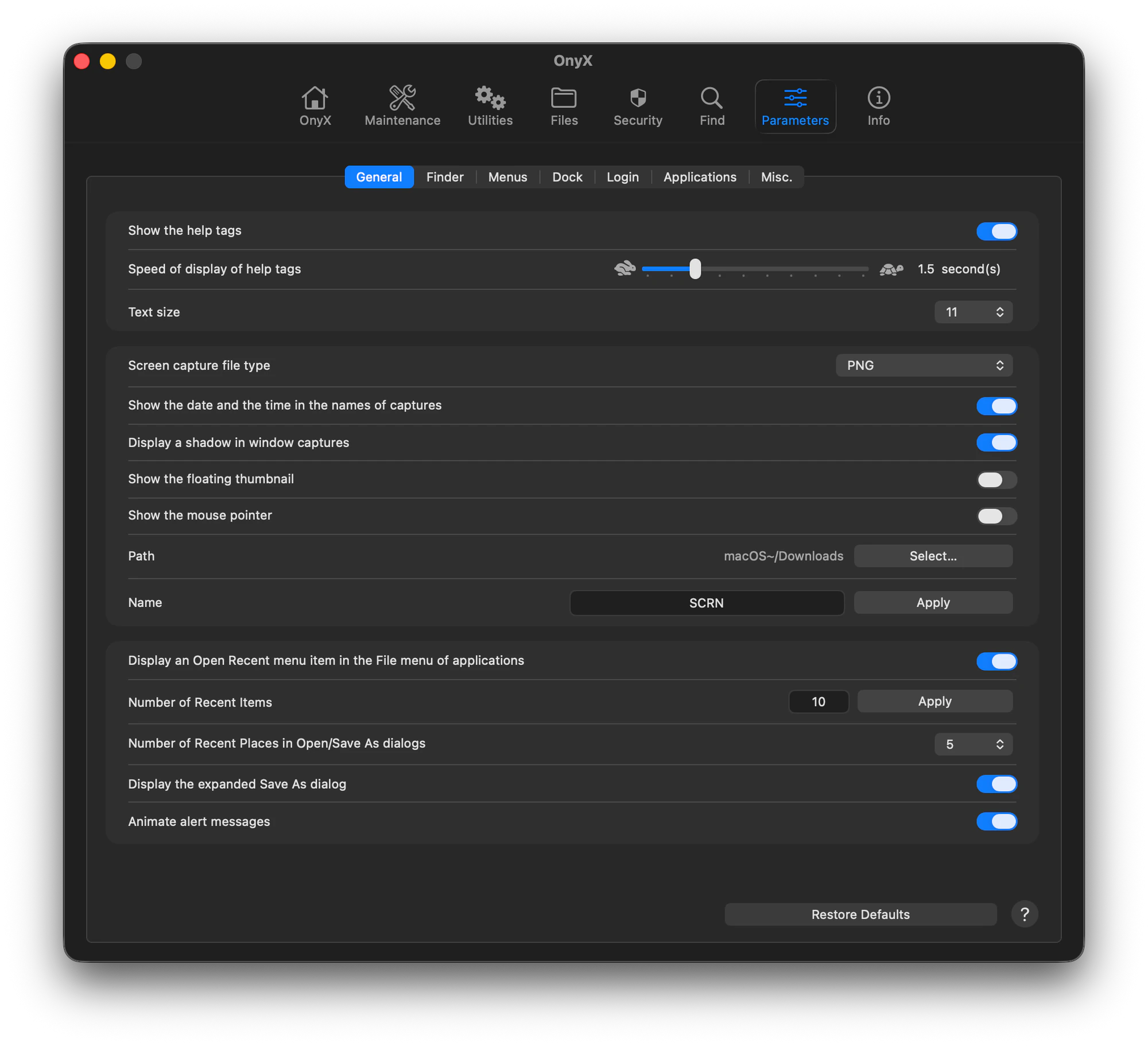
I still use OnyX, and I have huge respect for its developer for supporting it for so many years while keeping it free.
One OnyX option became especially important to me. It let me set a single line of text on the lock screen. After losing my first MacBook in Part 1, I started putting information there that could help someone return my MacBook if I lost it again.
Later, I discovered that this option had always been available in macOS settings. That made me wonder how far I could customize it myself. I tried multiple lines and they worked. Then I tried ASCII art, but it did not line up because the lock-screen font uses characters with different widths.
I started thinking about how I could make it look right. That is how LockLines was born. I tested hundreds of lines and made its output as accurate as possible. It can generate nicely aligned ASCII art messages for the lock screen.
I also found a way to make a message say something like "Scroll down to see the owner's contact information." My contact details do not need to be immediately visible to everyone who sees the locked MacBook, but someone who finds it can scroll down and learn how to return it.
An option I first discovered through OnyX eventually inspired me to create another Mac app myself. OnyX began as one person's tool for his own Mac and grew into a free utility that has been maintained since 2003. It is another example of a personal solution continuing to help other Mac users for decades.
An Interview with Joël Barrière
Ighor July
What motivates you to continue developing and supporting OnyX after more than twenty years?
Joël Barrière
Simply because it is one of my passions, alongside music and motorcycles. Even though OnyX is free, I believe it is important to answer users' questions and try to solve any problems they encounter. Some paid applications do not even provide technical support worthy of the name.
Ighor July
What advice would you give to independent developers who hope to maintain and support their apps for ten years or longer?
Joël Barrière
That is difficult to say because I am a slightly unusual case. For me, it is not really a job. I am not trying to make money by developing OnyX. I only want to help Mac users.
I think it is important to release regular updates, talk about the app on forums, respond to emails from every user, and be patient, especially at the beginning. Word of mouth will do the rest.
Read the complete OnyX interview.
One More Surprise from Apple
Several years later, some keys on my MacBook's butterfly keyboard came off and could not be put back. I contacted Apple, and they replaced the complete keyboard for free with a newer revision that did not have the same defect.
Apple could not replace only the keyboard. It was part of the top-case assembly, and the battery was glued into that assembly, so every keyboard replacement also came with a new battery. Mine had already degraded significantly by then, so the MacBook received another useful upgrade at no cost.