My Mac Apps Story, Part 4 - More Apps That Made macOS Work My Way
Display Menu, PopClip, Sublime Text, and WiFiSpoof, plus three exclusive interviews with the developers who kept these Mac apps alive.
Part 3 ended with four apps that shaped how I worked on my 2014 13-inch MacBook Pro. I was still far from finished with that MacBook or with finding apps that made macOS work the way I wanted.
The apps in this part helped me make better use of its Retina display, work with text faster, get more from a simple mouse selection, and protect some of my privacy on public Wi-Fi.
In interviews exclusive to Reverse Everything, the people behind Display Menu, PopClip, and WiFiSpoof share how their apps began and what it takes to keep a focused Mac utility alive for more than ten years.
Display Menu — Using Every Pixel of the Retina Display
The MacBook Pro (Retina, 13-inch, Mid 2014) has a native resolution of 2560 by 1600 at 227 pixels per inch. The display looked fantastic, but macOS normally presented it with a scaled interface.
At that time, I traveled often and could not carry the multiple displays I used with my Windows PC. I wanted the small MacBook screen to hold as much as possible, so I used Display Menu to switch it to the full native 2560 by 1600 mode.
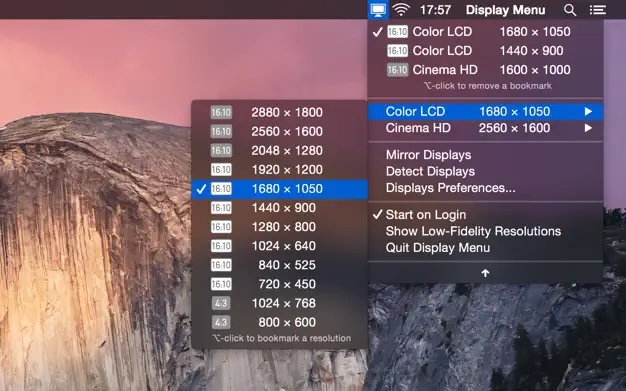
Everything became very small. Instead of making the whole interface larger, I changed the fonts inside the apps I used most. Text remained comfortable to read while more windows and interface elements fit on the screen.
It was an unusual way to use a 13-inch MacBook, but it worked for me. This remained my preferred setup until roughly 2018, when I finally returned to a standard scaled mode.
I still think direct access to the native resolution is useful. It gives a small display a surprising amount of working space and can also help when testing how an app behaves at an unusually high resolution.
An Interview with Thorsten Karrer
Ighor July
What motivates you to continue developing and supporting Display Menu after so many years?
Thorsten Karrer
I still use DisplayMenu myself, and I still observe people (in my current line of work) struggling to quickly set up external displays or presentation screens correctly. So for me it still looks like there is a need for this utility.
Ighor July
What advice would you give to independent developers who hope to maintain and support their apps for ten years or longer?
Thorsten Karrer
At some point you need to have figured out for yourself, which role such a project should play in your life. This sounds maybe a bit full of it, but I mean it. We started out with tons of time on our hands and it was a really fun project (a hobby really), and at some point we needed to make a decision: Go all-in, write another ~10 tools of that (small) caliber, switch to subscription pricing, and make this our primary focus. Or step back from it completely and then be fair and pull it from the Store. Or keep it working and providing some value, but accept that you will run this as a side gig and probably even lose some money on it.
For us it turned out to be the third option, partially because we are privileged enough to have day jobs that pay the bills and that allows us to keep DisplayMenu alive.
Read the complete Display Menu interview.
PopClip — Making Text Selection More Useful
PopClip was one of those apps that immediately felt like something new had been added to my workflow.
I found it in 2015. When I selected text with the mouse, a small bar appeared with useful actions. The interface was easy to understand, and extensions could add many more actions without making the basic interaction complicated.
What made PopClip especially awesome for me was its huge collection of downloadable extensions. I added many text-formatting actions and translation tools. There are so many extensions available that I could keep adding useful actions while choosing only the ones that fit my workflow.
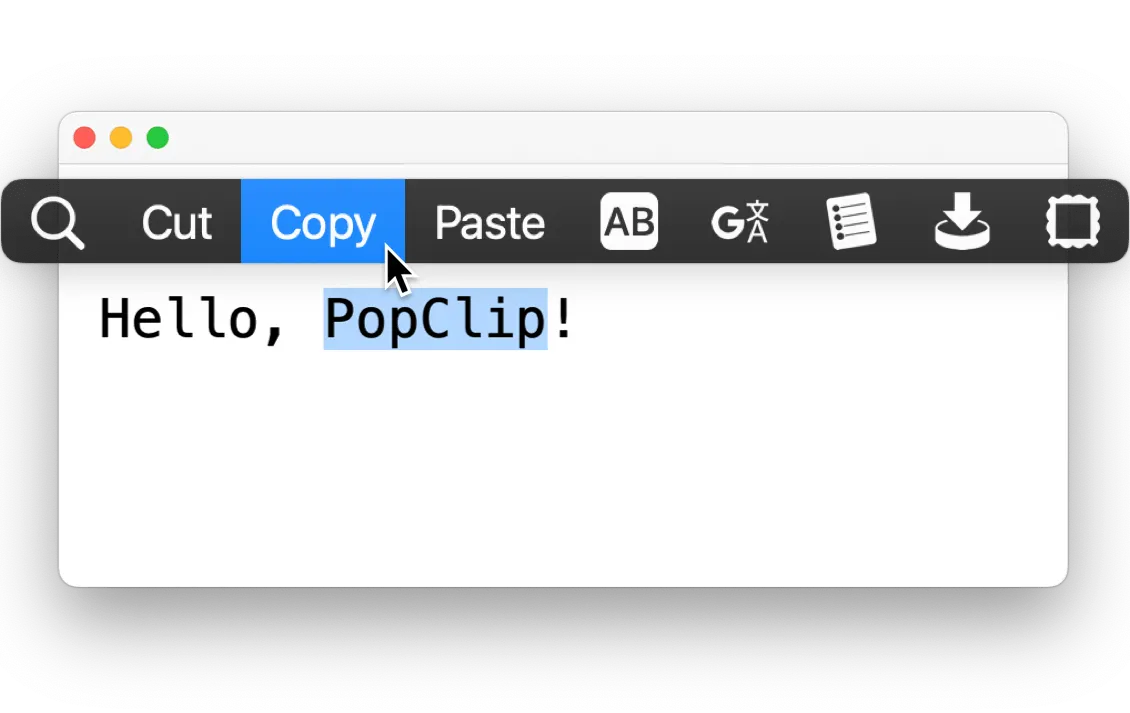
It made mouse selection feel more useful. Something as ordinary as highlighting a few words could lead directly to copying them, searching for them, opening a link, checking a definition, or running another action I had added.
The best part was that PopClip did not try to replace how text selection worked. It added one small step in exactly the place where I needed it.
An Interview with Nick Moore
Ighor July
Why do you think PopClip has remained relevant?
Nick Moore
I think the reason it's remained relevant is that, at its heart, it is still the same app as it was when it first came out: you select some text, and a bar pops up with a row of buttons. That's the core proposition. Everything else changes around PopClip, but PopClip tries to stay the same.
Ighor July
What advice would you give to independent developers who hope to maintain and support their apps for ten years or longer?
Nick Moore
Work on an app that you want to use yourself. Don't chase trends, don't rush to support the latest thing, or add new features just for the sake of newness. Remember that every feature you add is a feature you have to maintain. And every option you add is now two variant features you have to maintain. Focus on reliability, simplicity and the core experience and usefulness of the app. Listen to the users but trust your own judgement and don't be afraid to say no. Patiently build a core user base and keep them on board — word of mouth is worth more than any advertising.
Read the complete PopClip interview.
Sublime Text - Finding My Fast Text Editor
On Windows, I liked AkelPad. It could open text in different encodings, but its most important quality for me was speed. I could open a file and immediately work with its contents.
I spent a long time searching for the same feeling on macOS. In my tests, Sublime Text was the fastest editor I found. I bought it in 2016 and it became the editor I reached for when I wanted to open a file without waiting for a large development environment.
Another feature made Sublime Text especially useful to me. I could configure it to open new windows as native macOS tabs. Inside each of those tabs, Sublime Text still had its own tabs for individual files. This gave me two levels of organization and helped me keep related work together, which improved my productivity a lot.
I do not know of another text editor that can organize windows this way. If you know one, please leave a comment in the Reddit discussion for this article.
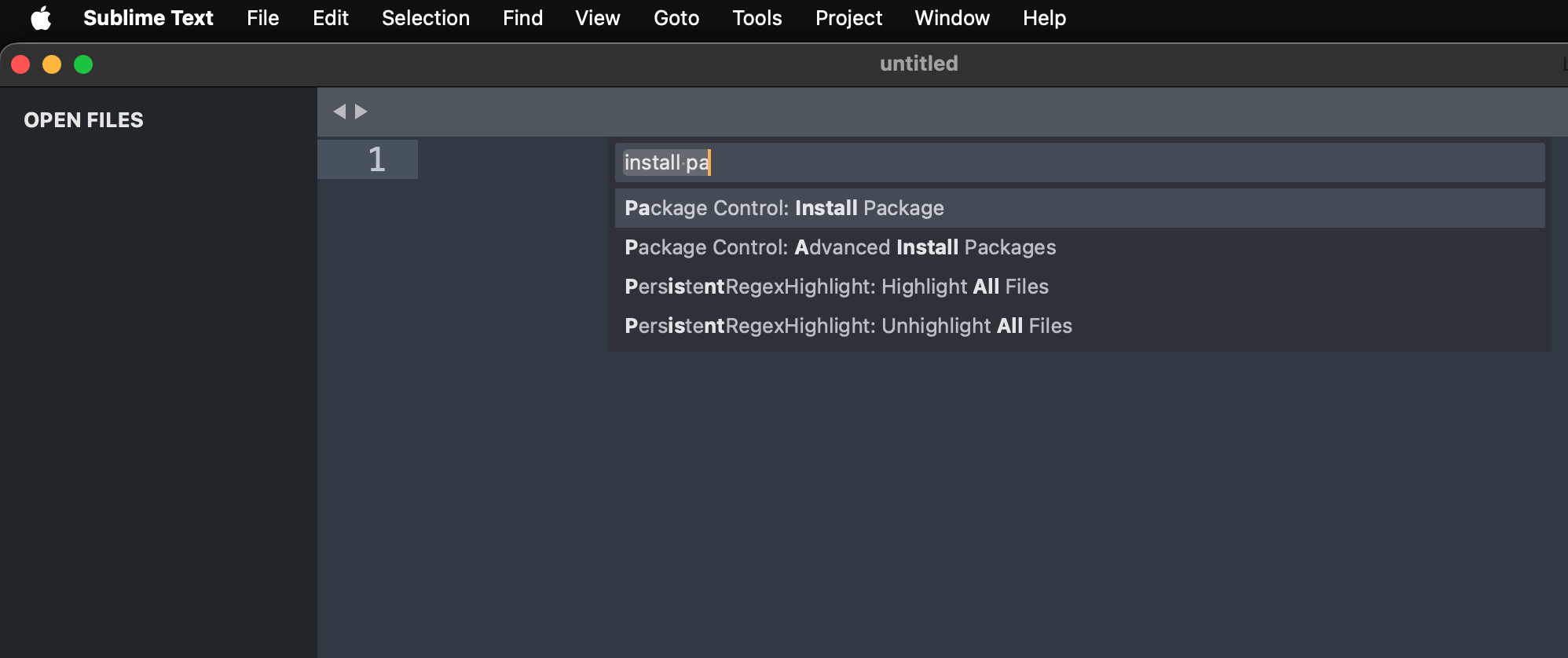
I also liked what I saw when monitoring its network activity. In my use, it did not connect to the internet until I performed an action that needed a connection.
I considered Visual Studio Code as an alternative, but two things continued to bother me. It took longer to open, and I saw it making background network connections. VS Code can do much more, but for quickly reading or changing a text file, I preferred the speed and quiet behavior of Sublime Text.
WiFiSpoof - Changing My Address on Public Wi-Fi
Public Wi-Fi was another part of traveling that made me look for a focused utility.
A Wi-Fi network can identify a device by its MAC address. Reusing the same address makes it easier for network operators to recognize and track that device. WiFiSpoof let me change or randomize the address my Mac presented to the network.
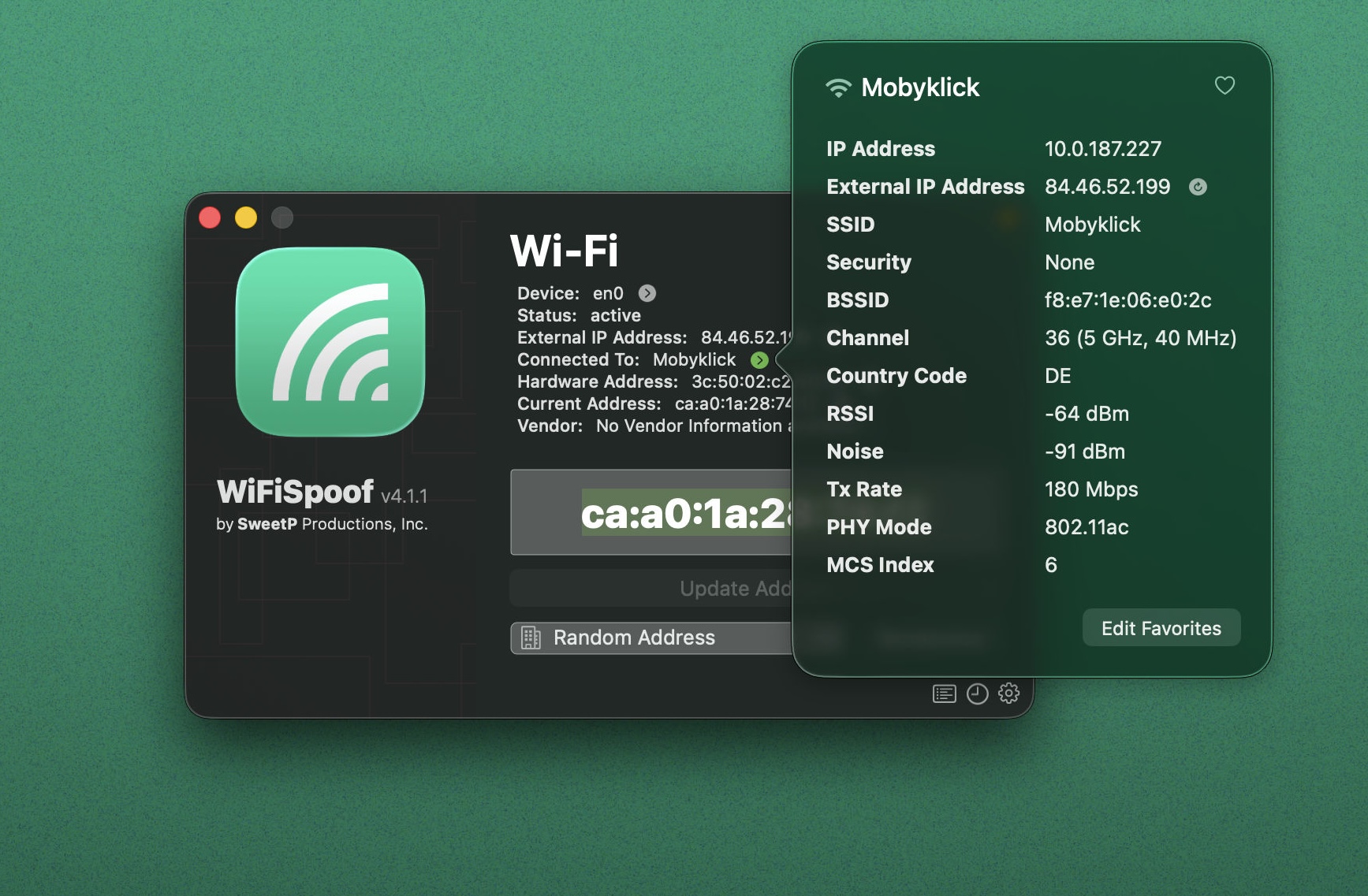
That made me feel better about connecting to networks I did not trust. It did not make the network itself safe, but it reduced one simple way my Mac could be recognized across connections.
Current macOS versions can use a private Wi-Fi address, so many people no longer need a separate app for this purpose. WiFiSpoof is still maintained, though, and its developer kept it working through years of changes to macOS, App Sandbox, and Apple's rules around privileged operations.
An Interview with Russell Gray
Ighor July
What motivates you to continue developing and supporting WiFiSpoof after so many years?
Russell Gray
I "enjoyed"... the challenge of keeping it working across the various limitations that Apple introduced into macOS and the App Store over the years. Now that Apple's security model seems mature, I am more interested in trying to make it more useful and user friendly without adding too much bloat.
Ighor July
What advice would you give to independent developers who hope to maintain and support their apps for ten years or longer?
Russell Gray
Build apps you have a personal need for and enjoy working on.
Read the complete WiFiSpoof interview.
Saying Goodbye to My 2014 MacBook
The 2014 MacBook had been my faithful companion while I traveled across Europe, but those journeys are a story for another time. I took its battery past 1,300 cycles, and it still had good battery life when I sold it. I thought the person buying it was simply a random buyer, but he turned out to be a fan of my iDNS Portal project. That was a small surprise, and it made me even happier that the MacBook went to someone who would appreciate it.
That is where the story of my 2014 MacBook ends. Part 5 continues with my next MacBook, how I bought it directly from Apple with a 20% discount, and more apps and developer interviews.
The screenshots in this post come from the official Display Menu, PopClip, Sublime Text, and WiFiSpoof product pages.
Comments